X9SAE-V BIOS Reflash
My wife “returned” a PC I built for her office years ago, as she no longer needed it. It’d been in storage for some years, so I figured I’d check on it before breaking it down to parts and storing them, as I do.
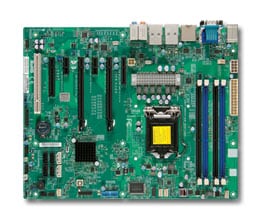
Disappointingly, it failed to boot. The short version is that the BIOS was lightly corrupted, so I desoldered it, reflashed it, put it back on, and the board was fine. I’ll describe here the issues it presented with, and the minor hurdles encountered, so you can recognize the problem and have a smoother time of dealing with it than I did.
Symptoms
With the board on the bench, all of the extraneous widgets removed, and a selection of independently tested CPUs and RAM, we had the following behaviors on boot (with all combinations of CPU and RAM):
- Without RAM, it beeps.
- With RAM, it reboots a few times like it’s doing memory training.
- Never progresses further than that.
- Never produces the “no video adapter” beeps, even when there isn’t a video adapter.
- Definitely never displays anything.
- No amount of resetting the CMOS settings (with the little jumper) had any effect.
This suggested that the CPU and chipset were doing something. The board wasn’t totally dead. It helped that it was clean and I knew it had been in climate controlled storage. No leakage from the coin cell battery.
I figured that the possible issues were something like:
- Damage to the DIMM socket or traces.
- BIOS was corrupted.
Sockets and traces all looked fine, nobody had been in the case since me some years prior. Couldn’t do much about either of those anyways. BIOS corruption could be dealt with.
Hardware Process
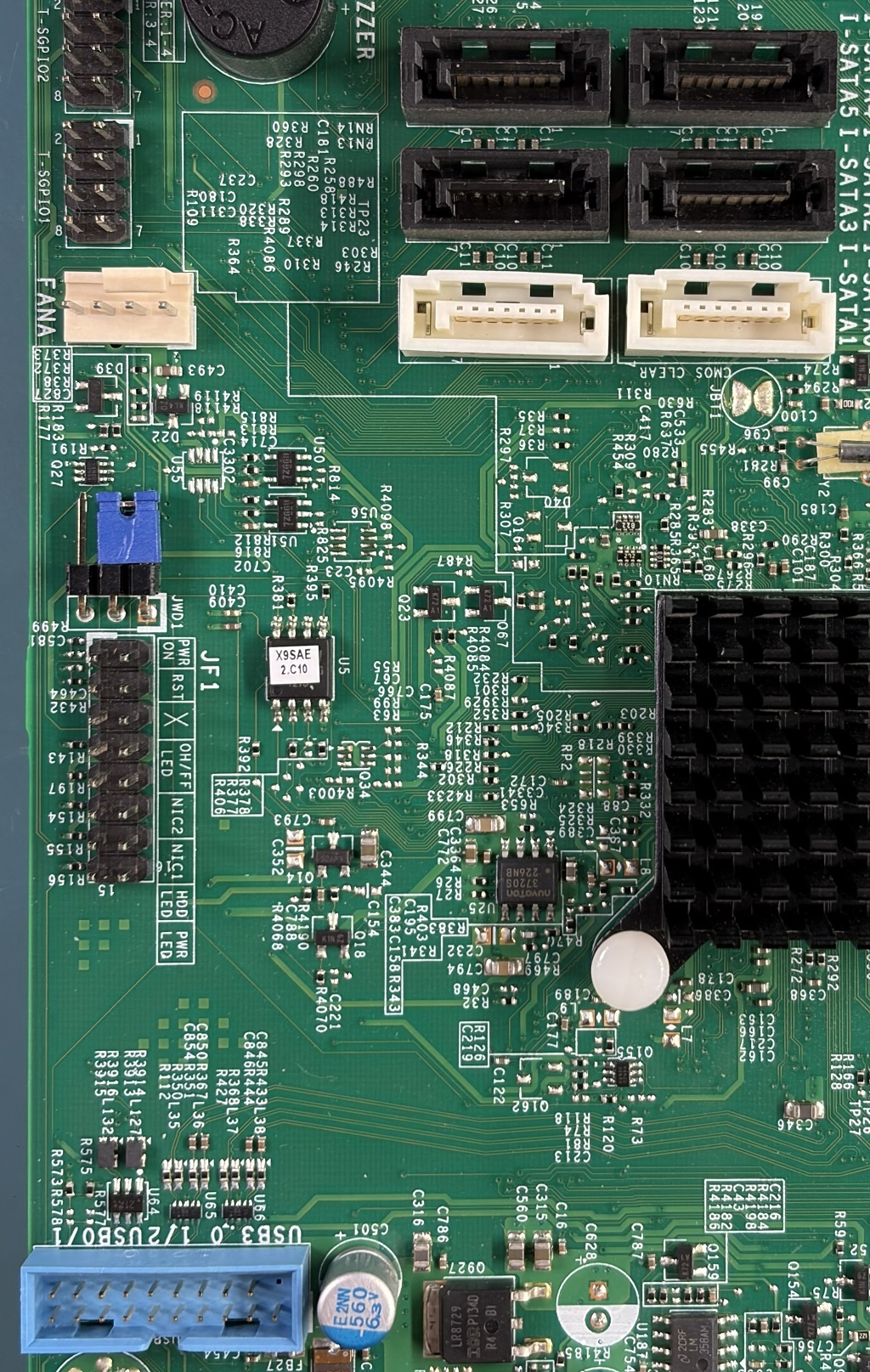
The BIOS is stored in a W25Q128 family 8-SOIC 208mil wide part. Surface mounted, no socket alas. (The ASUS I was testing components in had a nice socketed 8-DIP BIOS. Every time I looked at it, I sighed.) I tried using an 8-SOIC clip-on adapter to reflash it in-circuit, but had no luck. I assume other things were loading the signals. I moved on to the desoldering plan.
The motherboard is certainly multilayer, and was assembled in the RoHS era with what has to be lead-free solder. Having learned my lesson from some other boards, I built a little kapton and aluminum foil shield around neighboring parts, and hit the BIOS with hot air. So much hot air, for so long. And it had no effect at all.
Since replacement parts are easily acquired on DigiKey and Mouser, I figured I could be a little rougher. I took the soldering iron, liquified the solder on each pin and lifted it with tweezers. Did one side, and then as I recall I was able to sort of lay my iron across all four pins on the other side and get them all at once. This is a slightly fiddly procedure. You only need light pressure on the pins while lifting them; the goal is to get them out of the solder puddle, not to bend them 45 degrees. Same thing with lifting the chip while heating four pins at once. You’re pulling on something that weighs a fraction of a gram; any force at all will lift it from the board the instant the solder is all liquid. If you haven’t done this before, watch a bunch of YouTube soldering videos. An 8-SOIC is about as easy an introduction to surface mount soldering as you can ask for, but you don’t want to lift pads off the PCB and turn it into a challenging repair.
Chip off the board, I straightened up the pins, put some low temp leaded solder on the pads, and cleaned it back off with wick, to leave them clean and flat. A little heat on the pins and I sort of smeared the remaining solder around on them so the chip would fit into a socket. It read out just fine; most of the remaining real difficulty was in prepping the new BIOS. I’ll cover that in the next section and finish describing what I did with the hardware.
With the new image complete, and flashed onto the chip, I was concerned that I might’ve done it wrong, and thus need to iterate on the flashing/testing process, so I was afraid to just solder the chip back down. Instead I soldered 8 female dupont jumper wires onto the 8-SOIC pads and hooked them up to the socket. I plunked the chip in, and booted the system without problem. While you can skip this step, because you’ve got the next section and this whole thing to reassure you that it’ll be fine, at least you now know that the board will boot with the BIOS hanging off the board by 3-4 inches of loose wire.
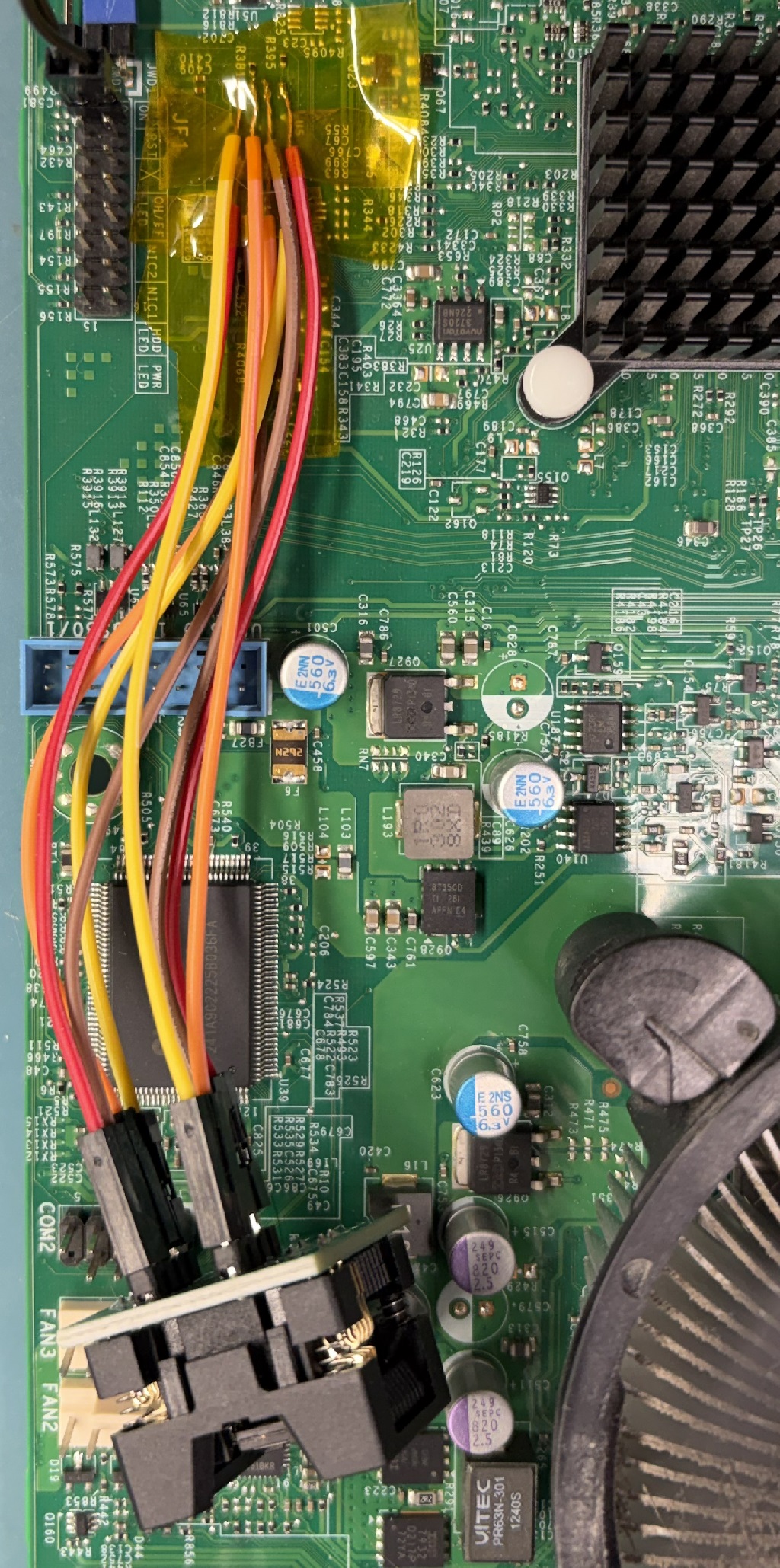
After I confirmed it booted, I removed the wires and soldered the chip straight down with the lowest temperature leaded solder I had on hand. Hopefully that will make it easier for hot air to remove in the future, if necessary. And of course, it still worked after that.
(I used a T48 and minipro for reading and writing to the flash. There are dozens or hundreds of ways of accomplishing this. A Raspberry Pi, or a Pico, and some wires, can do it. A 3.3V parallel port and some wires could probably do it, too, if you were patient enough.)
Software Process
The chip is 128 Mbit, or 16 MiB. You can get the latest BIOS for the
board from Supermicro (2.3a, X9SAE1_106.zip), and find inside of it
a 16MiB X9SAE1.106. ifdtool -d on your dumped BIOS and the one
from Supermicro should be similar. My image’s descriptor table had
read/write access enabled for all areas, whereas the Supermicro image
has most access disabled. That controls the running system’s access
to the various regions of flash. The old permissions had been fine,
so I figured I’d retain them.
Using ifdtool -x I extracted the regions from my BIOS and the Supermicro
BIOS into four files each.
[jkominek@kyatt x9sae]$ /usr/sbin/ifdtool -x dumped-x9saev.rom
Warning: No platform specified. Output may be incomplete
File dumped-x9saev.rom is 16777216 bytes
  Flash Region 0 (Flash Descriptor): 00000000 - 00000fff
  Flash Region 1 (BIOS): 00c00000 - 00ffffff
  Flash Region 2 (Intel ME): 00003000 - 00bfffff
  Flash Region 3 (GbE): 00001000 - 00002fff
  Flash Region 4 (Platform Data): 00fff000 - 00000fff (unused)
[jkominek@kyatt x9sae]$ ls -l flashregion*
total 5953
-rwx------+ 1 jkominek     4096 Oct 19 11:33 flashregion_0_flashdescriptor.bin
-rwx------+ 1 jkominek  4194304 Oct 19 11:33 flashregion_1_bios.bin
-rwx------+ 1 jkominek 12570624 Oct 19 11:33 flashregion_2_intel_me.bin
-rwx------+ 1 jkominek     8192 Oct 19 11:33 flashregion_3_gbe.bin
I wanted to keep my original flash descriptor, and my GbE data, since that had my MAC addresses. None of the checksums matched with the vendor BIOS, which isn’t surprising. I assumed I needed to keep the BIOS and Intel ME matching, and they’re the “meat” of the image, so I chose to inject my old descriptor and GbE data into the new vendor image, which worked fine for me:
cp X9SAE1.106 repaired.rom
ifdtool -i Descriptor:board-orig/flashregion_0_flashdescriptor.bin repaired.rom
mv repaired.rom.new repaired.rom
ifdtool -i gbe:board-orig/flashregion_3_gbe.bin repaired.rom
mv repaired.rom.new repaired.rom
repaired.rom will be 16MiB and requires no further preparation before
writing to the chip.
What was corrupted?
This is bonus points: what had gone wrong? It’s possible that my particular failure mechanism is because of where the BIOS was corrupted. If the bit had been in some text used in the BIOS configuration menu, I’d have never noticed.
The descriptor and GbE sections didn’t matter, I was replacing those. ME Analyzer didn’t report any CRC errors on the Intel ME section.
uefiextract produced some errors, though:
[jkominek@kyatt x9sae]$ uefiextract dumped/flashregion_1_bios.bin
parseFileHeader: invalid data checksum D8h, should be 98h
parseFileHeader: file alignment 10h is greater than parent volume alignment 8h
parseCompressedSectionBody: decompression failed with error Customized decompression failed
parseFileHeader: file alignment 10h is greater than parent volume alignment 8h
parseFileHeader: invalid data checksum 83h, should be 82h
parseFileHeader: file alignment 1000h is greater than parent volume alignment 8h
parseFileHeader: invalid data checksum 5Ah, should be AAh
parseFileHeader: file alignment 1000h is greater than parent volume alignment 8h
Maybe uefiextract and Supermicro just don’t get along? Let’s check it against
the BIOS in the fresh vendor file:
[jkominek@kyatt x9sae]$ uefiextract vendor/flashregion_1_bios.bin
parseFileHeader: file alignment 10h is greater than parent volume alignment 8h
parseFileHeader: file alignment 10h is greater than parent volume alignment 8h
parseFileHeader: file alignment 10h is greater than parent volume alignment 8h
parseFileHeader: file alignment 1000h is greater than parent volume alignment 8h
parseFileHeader: invalid data checksum 5Ah, should be AAh
parseFileHeader: file alignment 1000h is greater than parent volume alignment 8h
Not encouraging. But my file has at least two more checksum errors, and that decompression failure, over the vendor BIOS. So I figured the vendor version was better than what I had.
I pulled up UEFITool NE on the BIOS section and took a look around.
At this point my enthusiasm for investigating was waning, as I had a
solid plan for repair. But I found a FV_MAIN_NESTED (which
contained a compression section) had a bad checksum. So that’s one checksum
error and the decompression error. Next, CpuPei had a bad checksum.
Finally, BiosAc also had a bad checksum, but that turned out to be
bad in the vendor BIOS, too.
So I blamed everything on the CpuPei corruption and considered my
investigation complete. Could it have been something else? Perhaps.
My understanding of UEFI is minuscule, so there might have been some
other ramification or result of the damaged compressed section.
Epilogue
I took the battery out and stuck the motherboard into an ESD bag and put it into storage.
Why didn’t I take the opportunity to install a socket for the BIOS? If it had been a DIP package soldered to the board, I would have. Those sockets are cheap, and I keep a stock of them. There are surface mount sockets for surface mount parts, and I think at the time I even found one for the 208mil 8-SOIC, but it was $5 or so, and I don’t anticipate having to remove the chip again.